Guide: How to Add NMI to an AI-Built Site
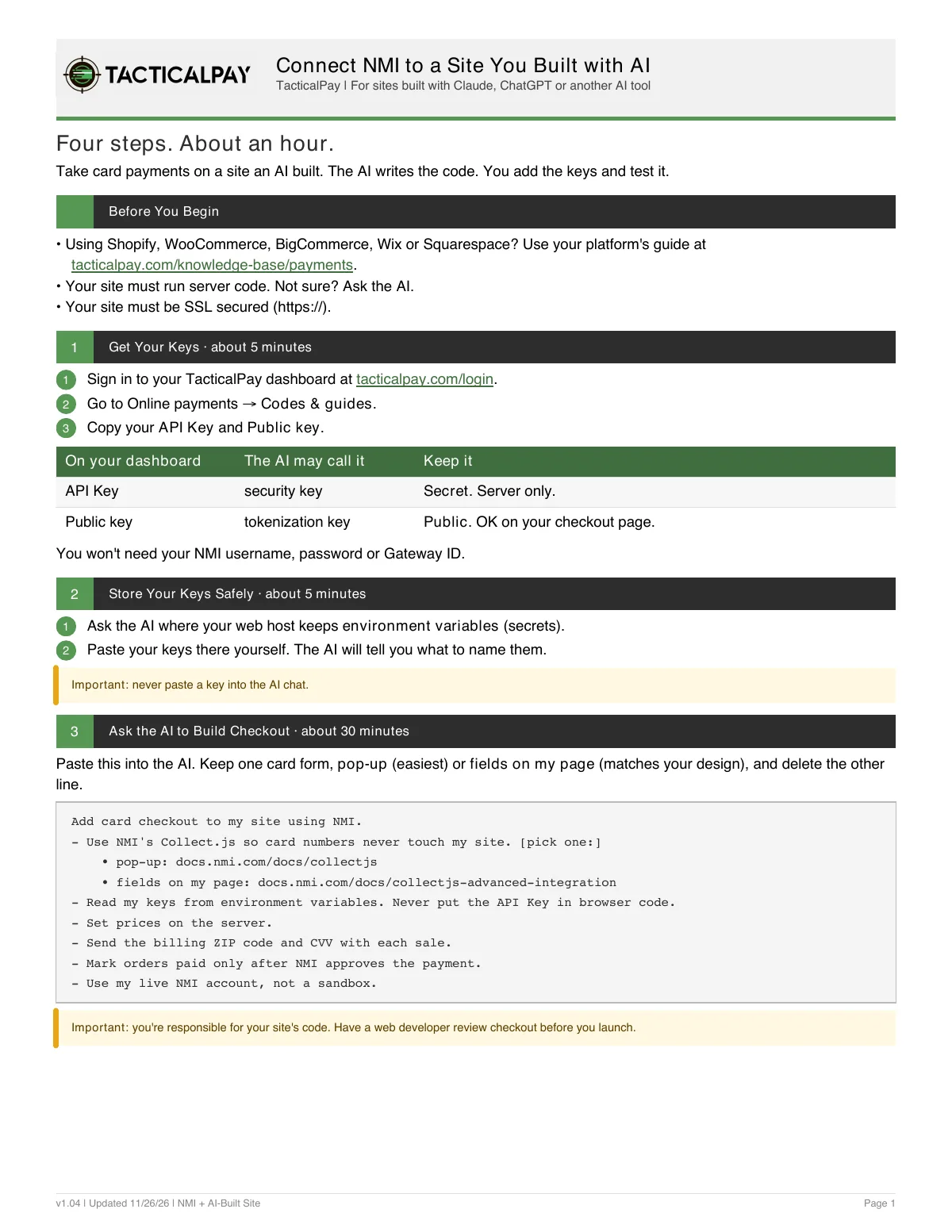
Copy your API key and public key, then have the AI build checkout with Collect.js.
PDF guide · v1.04 · updated
How to take card payments on a website you built with Claude, ChatGPT or another AI tool, with an NMI or Authorize.net payment gateway. The AI writes the code. You add the keys and test it.
The AI tool only writes the code. The rules that matter come from your web host and your payment provider, so read your host's terms against your products and make sure your gateway and merchant account accept firearms businesses. More in Selling Firearms on an AI-Built Site.
Copy your keys from your dashboard, store them with your web host, then share our recommended protocols with the AI as it builds checkout. The guides below cover each gateway, ending with a test sale.
Both guides take four steps, about an hour: get your keys, store them safely, share our recommended protocols with the AI, and test with a real sale. (TacticalPay merchants: not sure which gateway you have? Your TacticalPay dashboard shows it, or call (888) 281-5830.)
Copy your API key and public key, then have the AI build checkout with Collect.js.
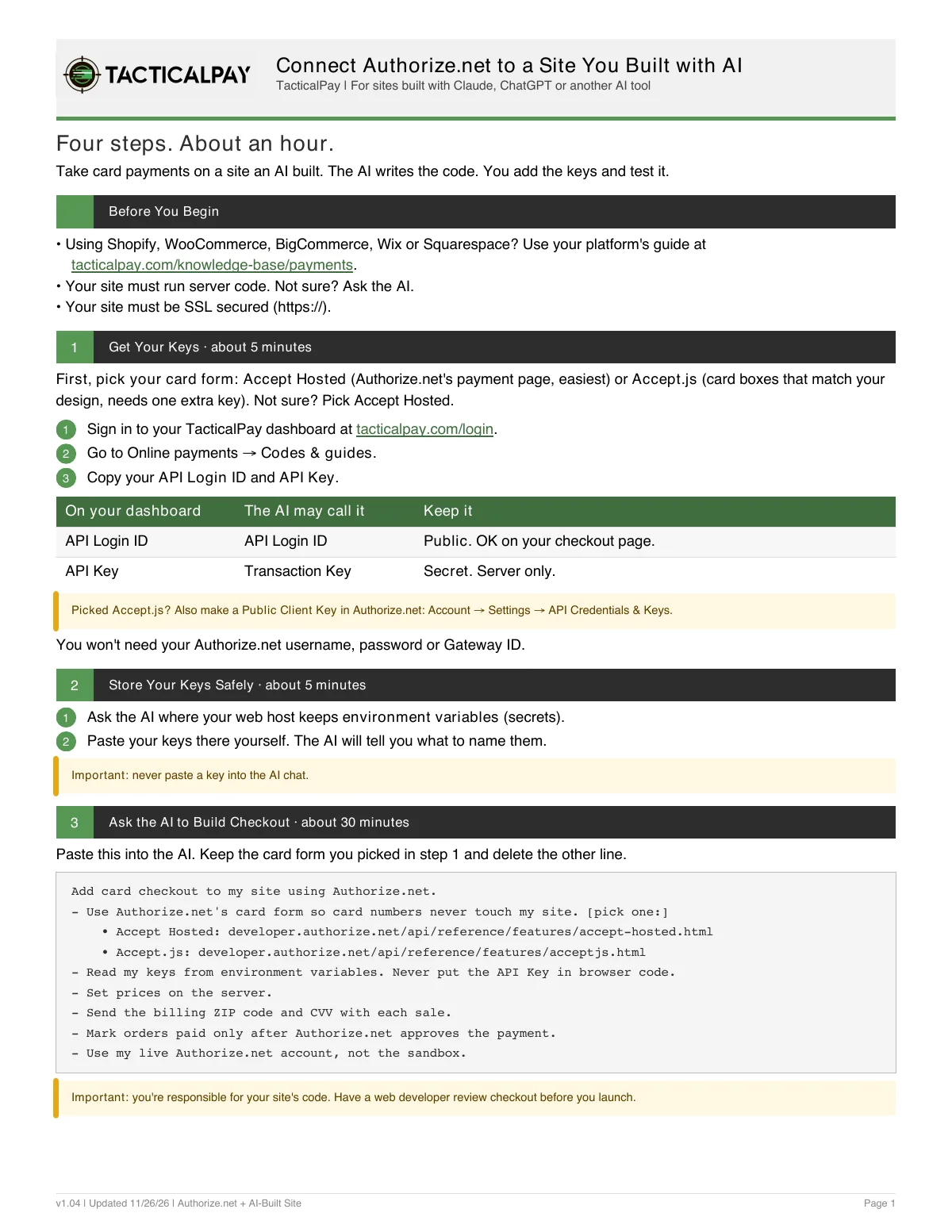
Copy your API Login ID and API key, then have the AI build checkout with Accept Hosted or Accept.js.
Copy your gateway keys. NMI: an API key and a public key. Authorize.net: an API Login ID and an API key (Authorize.net calls it the Transaction Key). (TacticalPay merchants: log in to your TacticalPay dashboard, then go to Online payments and Codes & guides.)
Ask the AI where your web host keeps environment variables (secrets), and paste your keys there yourself. Never paste a key into the AI chat.
Each guide lists the security protocols we recommend asking the AI to follow: use your gateway's own card form so card numbers never touch your site, keep the API key out of browser code, set prices on the server, send the billing ZIP and CVV with each sale, and mark orders paid only after the gateway approves the payment. They are recommendations. You decide how your checkout is built.
Buy something small with your own card, check the order shows paid, then void the sale in your gateway the same day.
Not sure? Ask the AI. The site also needs SSL, so its address starts with https://.
NMI: an API key and a public key. Authorize.net: an API Login ID and an API key.
Your TacticalPay account uses one of the two: the TacticalPay Gateway (powered by NMI), or Authorize.net. To check, log in to your TacticalPay dashboard: the Payment Gateway card names your gateway. If you cannot log in, call (888) 281-5830 or e-mail support@tacticalpay.com and our team will tell you.
Log in to your TacticalPay dashboard, then go to Online payments and Codes & guides. We also e-mailed your keys when your gateway was set up.
No. Paste them into your web host's environment variables yourself. The AI only needs to know what to name them.
We help with your keys and your gateway account. For your site's code, ask your AI tool or a web developer. For anything about your keys, e-mail support@tacticalpay.com.
TacticalPay provides the merchant account and payment gateway behind your card payments, built for firearms businesses and the tactical businesses around them.
Plans start at $69 per month, and TacticalPay POS starts at $199 per month. See plans and pricing.
Not from the site being built with AI. What applies is your web host's terms and your payment provider's rules. If you are not sure how your host's terms apply to your store, ask your host or an attorney.
Open a firearms-friendly merchant account, connect your gateway, and start selling.